1/23/2013
When we change the IP of the Weblogic server affect the ADF applications deployment
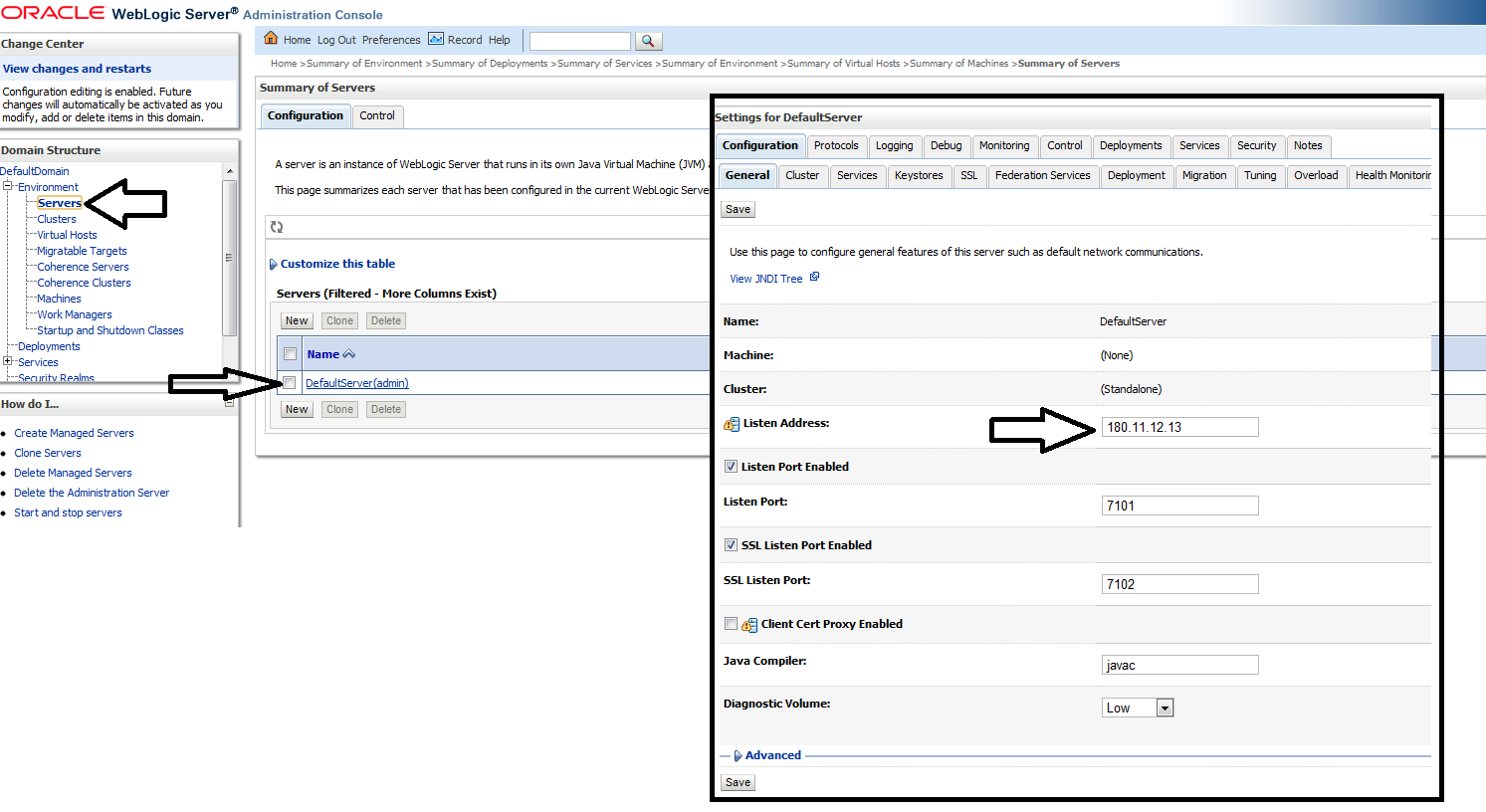
After we change the IP of the local Weblogic server, from default (127.0.0.1) to another IP (ex:180.11.12.13) we get an error at the deployment of the ADF applications.
How to resolve this impediment:
go to to JDeveloper -> View -> Aplication Server Navigator -> ->right click on the server->Properties->Configuration tab-> Enter your IP in Weblogic Hostname field (ex:180.11.12.13).
Re-start your server and deploy your ADF applications.
Now you can share your app running at your machine with anyone with the app-url http://180.11.12.13:7101/AppDemo...
Abonați-vă la:
Postări (Atom)
Efficient JSON serialization with Jackson and Java
📌 Introduction JSON serialization is a fundamental part of modern Java applications — converting Java objects into JSON and back. Jackson...
-
The CI/CD pipeline, standing for Continuous Integration and Continuous Delivery, plays a vital role in DevOps. Continuous Integration ensu...
-
Using Avro with a Quarkus Application + Kafka + Schema Registry (Product Example) This guide walks you through building a Quarkus applica...
-
Monitoring your applications is crucial to ensure they run smoothly and efficiently, especially when it comes to modern microservices a...

